Advantages and Disadvantages of Bluetooth Technology
Published: 22 Jan 2026
Bluetooth has changed how we connect with devices, from wireless earphones to smart home gadgets. It allows your phone, car, or fitness tracker to connect easily without wires. But, like all technology, Bluetooth has its pros and cons.
In this article, we’ll explore the advantages and disadvantages of Bluetooth to help you understand its impact and make smarter choices when selecting Bluetooth-enabled devices. So let’s dive in
Advantages of Bluetooth
Bluetooth technology provides several benefits, making it a popular choice for wireless communication. Here are six key advantages:

1. Wireless Convenience
Bluetooth removes the need for physical cables, allowing devices to connect wirelessly. Whether you’re connecting your Bluetooth earphones to your phone or syncing your smartwatch to your tablet, Bluetooth’s wireless convenience makes life much easier by giving you more freedom of movement and reducing clutter.
2. Low Power Consumption
One of Bluetooth’s standout features is its low energy consumption. Bluetooth devices are designed to use minimum power, making them ideal for battery-operated devices like wireless earphones, fitness trackers, and smart home gadgets. This energy efficiency ensures longer battery life and less frequent charging.
3. Wide Compatibility
Bluetooth is compatible with a wide range of devices, from smartphones and laptops to smart TVs and home automation systems. This broad compatibility means you can easily connect different devices, no matter the brand, just as long as they support Bluetooth.
4. Affordable
Bluetooth technology is cost-effective, both for manufacturers and consumers. Devices with Bluetooth support are generally affordable compared to alternatives like Wi-Fi or NFC, making Bluetooth a popular choice for everything from budget-friendly gadgets to high-end electronics.
5. Easy Pairing
Pairing Bluetooth devices is generally quick and simple. Whether you’re connecting your phone to a Bluetooth speaker or syncing your tablet with your Bluetooth keyboard, the process is typically hassle-free and takes just a few moments. Bluetooth’s user-friendly setup makes it accessible to people of all tech levels.
6. Security Features
Bluetooth comes with built-in security features, like encryption and a password or security code, to keep your connections safe. While no technology is 100% secure, these protections help prevent unauthorized access to your devices and data.
Disadvantages of Bluetooth
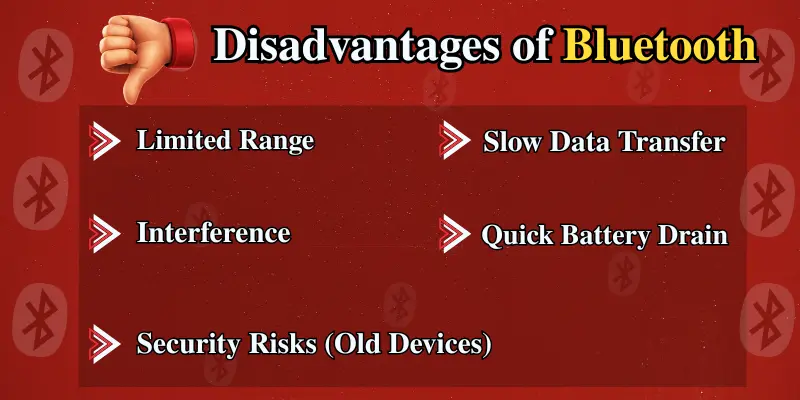
While Bluetooth has many benefits, it also comes with some limitations that are important to consider. Here are some key disadvantages:
1. Limited Range
One of the most noticeable drawbacks of Bluetooth is its limited range. Bluetooth normally operates within a range of 10 meters (33 feet), although some devices with newer Bluetooth versions can extend this range. However, this limitation may not be suitable for larger areas where a longer-range connection is needed.
2. Interference
Bluetooth uses the 2.4 GHz frequency band, which is shared by other wireless technologies like Wi-Fi and microwaves. This can lead to interference that may impact the Bluetooth connection, especially in crowded environments where multiple devices are transmitting data on the same frequency.
3. Security Risks (Old Devices)
Bluetooth has security features like encryption to protect your data, but older versions can be more easily hacked. This makes devices vulnerable to unauthorized access or data theft, especially if they’re using outdated software or lack the latest security updates.
4. Slow Data Transfer Speeds
Compared to technologies like Wi-Fi or USB, Bluetooth’s data transfer speeds are relatively slow. Bluetooth is designed for short-range communication, so it doesn’t handle large data transfers efficiently. For tasks that require higher data speeds (like file transfers), Wi-Fi or wired connections may be more suitable.
5. Battery Drain with Continuous Use
While Bluetooth is designed to be energy-efficient, constant use (especially in older devices or long sessions) can still cause noticeable battery drain, especially on devices like Bluetooth earphones or smartwatches.
6. Compatibility Issues
Not all Bluetooth devices are 100% compatible with each other, especially when it comes to different Bluetooth versions. For example, a device with Bluetooth 4.0 might not work as efficiently with a device supporting Bluetooth 5.0. This can create frustration for users who expect smooth connectivity across various devices.
Helpful Tips for Better Bluetooth Performance
Here are some helpful tips to get the most out of your Bluetooth devices:
- Keep devices within 30 feet for the best Bluetooth connection.
- Turn off Bluetooth when not in use to save battery life.
- Update Bluetooth drivers regularly for better performance and security.
- Minimize obstructions like walls for a stronger Bluetooth signal.
- Choose Bluetooth 5.0 or higher for better range and faster speeds.
- Check device compatibility before purchasing Bluetooth products.
- Re-pair devices if you experience connectivity problems to reset the connection.
- Use pairing codes for added Bluetooth security.
Conclusion
Bluetooth technology offers a simple and efficient way to connect devices without wires. Its low power usage and wide compatibility make it a great choice for many gadgets. However, it’s important to keep in mind its limitations, like short range and potential security risks with older devices. By understanding these pros and cons, you can choose and use Bluetooth devices more wisely.
If you found this article helpful, share it with your friends and leave a comment below!
Frequently Asked Questions (FAQs)
Here are the answers to some common questions about the pros and cons of Bluetooth:
The top five advantages of Bluetooth are:
- Wireless convenience – No need for cables.
- Low power use – Saves battery.
- Wide compatibility – Works with many devices.
- Affordable – Budget-friendly tech
- Easy pairing – Quick and simple setup.
The top five disadvantages of Bluetooth are:
- Limited range – Works best within 30 feet.
- Slow transfer speed – Not ideal for large files.
- Signal interference – Affected by Wi-Fi or other devices.
- Security risks – Especially in older versions.
- Compatibility issues – Some devices may not pair smoothly.
Bluetooth is a wireless technology that allows devices to connect and share data over short distances. It uses radio waves to communicate without needing cables. You can use it to connect phones, speakers, earbuds, and more.
Yes, Bluetooth is generally safe for everyday use. It uses encryption and security features to protect your data. However, it’s best to use updated devices and avoid pairing in public places to stay more secure.
It depends on what you’re using it for. Bluetooth is better for short-range, low-power connections like headphones or smartwatches. Wi-Fi is better for faster, long-range data transfers like streaming or browsing.
The latest versions of Bluetooth include Bluetooth 5.0, 5.1, 5.2, 5.3, and the most recent, Bluetooth 6.1 (released in 2025). Each version offers improvements in range, speed, energy efficiency, and overall connectivity.
Bluetooth Low Energy (BLE) is a special version of Bluetooth designed to use very little power. It’s perfect for devices like fitness bands, smartwatches, and trackers that run for long periods without charging. BLE still allows fast, short-range communication while saving battery.






- Be Respectful
- Stay Relevant
- Stay Positive
- True Feedback
- Encourage Discussion
- Avoid Spamming
- No Fake News
- Don't Copy-Paste
- No Personal Attacks
- Be Respectful
- Stay Relevant
- Stay Positive
- True Feedback
- Encourage Discussion
- Avoid Spamming
- No Fake News
- Don't Copy-Paste
- No Personal Attacks
