AirDrop vs Bluetooth: Which One Is Better for Sharing?
Published: 30 Jun 2026
AirDrop and Bluetooth are two popular wireless technologies, but they work in different ways. While both can connect nearby devices, AirDrop uses a combination of Bluetooth and Wi-Fi for file sharing, whereas Bluetooth is mainly used for connecting accessories like headphones, speakers, and keyboards.
In this guide, you’ll learn the key differences between AirDrop and Bluetooth, how they work, their transfer speeds, common uses, and which option is better for your needs. So, let’s dive in
What Is AirDrop?
AirDrop is a built-in file-sharing feature available on Apple devices. It allows users to share files wirelessly without using cables, email, cloud storage, or messaging apps. With AirDrop, you can quickly send photos, videos, PDFs, documents, contacts, web links, and other files between compatible Apple devices, including iPhone, iPad, and Mac.
One of AirDrop’s biggest advantages is its simplicity. For example, if you record a video on your iPhone and want to move it to your Mac, you can transfer it directly with AirDrop in just a few taps.
AirDrop also helps preserve the original quality of files, making it a convenient option for sharing photos, videos, and other important content between Apple devices.
What Is Bluetooth?
Bluetooth is a short-range wireless technology that allows nearby devices to communicate without cables. It is commonly used in smartphones, laptops, headphones, speakers, keyboards, mice, smartwatches, cars, and many other electronic devices.
The primary purpose of Bluetooth is to connect devices and enable wireless communication. For example, when you connect wireless headphones to your phone or pair a keyboard with your computer, Bluetooth is usually the technology being used.
Bluetooth can also transfer data between devices, but it is not designed for fast file sharing. Instead, it is optimized for wireless audio, device pairing, and low-power communication.
One of Bluetooth’s biggest advantages is its wide compatibility. Unlike AirDrop, Bluetooth works across different brands and platforms, including Apple, Android, Windows, and many smart devices.
AirDrop vs Bluetooth: 10 Key Differences
Although AirDrop and Bluetooth are both wireless technologies, they are designed for different purposes. Below, we’ll compare the 10 key differences between AirDrop and Bluetooth, including speed, compatibility, file sharing, and device connectivity.
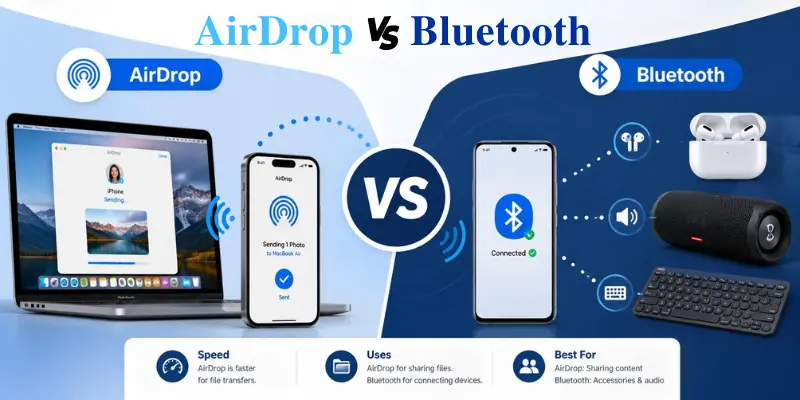
1. Speed
- AirDrop is generally much faster than Bluetooth when transferring files. AirDrop is faster because it uses Wi-Fi for file transfers. As a result, AirDrop is suitable for sharing photos, videos, PDFs, PowerPoint presentations, and other large files between Apple devices.
- Bluetooth is slower because it is designed for low-energy communication. It is mainly used for connecting devices like headphones, speakers, keyboards, and other accessories, rather than transferring large files.
2. Compatibility
- AirDrop allows transfer of files only between Apple devices. For example, you can use AirDrop to transfer files between an iPhone and a Mac, two iPhones, or an iPad and a Mac. However, AirDrop does not support direct file sharing with Android phones or Windows PCs.
- Bluetooth offers much broader compatibility. It works across different platforms, including Apple, Android, and Windows devices, and is commonly used with headphones, speakers, smartwatches, keyboards, mice, cars, and other accessories.
As a result, AirDrop is better for file sharing within the Apple ecosystem, while Bluetooth is a better choice for connecting devices across different platforms.
3. File Size
- AirDrop is better for transferring large files. It can quickly send high-quality photos, videos, PDFs, documents, and other large files between Apple devices.
- Bluetooth can transfer small files in some cases, but it is not a good option for large files because the transfer can be slow.
If your main goal is to send large files between Apple devices, AirDrop is the better choice. If your goal is to connect a device or send very small data, Bluetooth is more suitable.
4. Primary Usage
- AirDrop is primarily designed for file sharing between Apple devices. It allows users to quickly send photos, videos, documents, and other files from one Apple device to another.
- Bluetooth is primarily designed for connecting devices and enabling wireless communication. It is commonly used with headphones, speakers, keyboards, mice, smartwatches, and car audio systems.
This is one of the biggest differences between the two technologies: AirDrop is mainly used for file sharing, while Bluetooth is mainly used for device connectivity.
For example, you can use AirDrop to send a video from your iPhone to your Mac, while Bluetooth can connect your AirPods, speaker, keyboard, mouse, or car audio system.
5. Internet Requirement
- AirDrop does not require an internet connection to transfer files. You do not need mobile data or a Wi-Fi network to share files between Apple devices. However, both Wi-Fi and Bluetooth must be turned on. AirDrop uses Bluetooth to discover nearby Apple devices and Wi-Fi to transfer files directly between them.
- Bluetooth also does not require an internet connection. It creates a direct wireless connection between nearby devices, making it useful for connecting accessories and exchanging small amounts of data.
6. Security
AirDrop and Bluetooth both use permission-based connection methods, but they work differently.
- AirDrop gives users control over who can send them files. Depending on your device settings, you can turn receiving off, allow only contacts, or allow nearby users for a limited time.
- Bluetooth usually requires pairing before two devices connect. Once devices are paired, they can reconnect more easily later.
For safety, you should avoid pairing with unknown devices and remove old paired devices you no longer use.
7. Device Discovery
- AirDrop uses Bluetooth to discover nearby Apple devices that are available for file sharing. When you choose a file to share, your device scans for compatible Apple devices within range.
- Bluetooth also discovers nearby devices, but its main purpose is device pairing. For example, when you connect wireless earbuds to your phone, the phone searches for nearby Bluetooth devices before establishing a connection.
The key difference is that AirDrop uses device discovery for file sharing, while Bluetooth uses it primarily for connecting and pairing devices.
8. Transfer Quality
- In most cases, AirDrop maintains the quality of files being transferred. For instance, if you choose to share any photo or video via AirDrop, the files will be transferred to another Apple device in their original quality.
- Bluetooth technology also allows the transfer of files without an internet connection; however, due to the slower speed of the technology, it is rarely used to transfer media files.
This makes AirDrop better than Bluetooth for Apple users who would want to transfer photos and videos at original quality.
9. Range
AirDrop and Bluetooth both fall into the short-range category. This means that they function best with devices in close proximity.
Typically, Bluetooth is used at short ranges, from connecting headphones to phones to connecting keyboards to computers. Similarly, AirDrop requires devices to be close because it uses Bluetooth to discover devices and Wi-Fi to transfer files. If the distance between devices becomes too great, it may be difficult to find the receiving device or even to transfer the file.
Thus, both are nearby-device technologies but for different purposes.
10. Power Usage
- Bluetooth was developed specifically to support low-power communication. This is the reason why it is widely used in wireless headphones, smartwatches, fitness bands, keyboards, mice, and other accessories.
- On the other hand, although AirDrop requires more power due to its use of Wi-Fi to send files, it is used only occasionally for file transfer and not continuously.
As a result, Bluetooth is more power-efficient for ongoing connections, while AirDrop focuses on faster file transfers.
Quick Comparison Table: AirDrop vs Bluetooth
| Feature | AirDrop | Bluetooth |
|---|---|---|
| Purpose | File sharing between Apple devices | Wireless device connection |
| Speed | Fast | Slower |
| Compatibility | Apple devices only | Works across many devices |
| File Transfer | Best for large files | Better for small files |
| Internet Required | Not required | Not required |
| Common Use | Photos, videos, documents | Headphones, speakers, keyboards |
When Should You Use AirDrop or Bluetooth?
You should use AirDrop when you want to quickly share photos, videos, documents, or other large files between Apple devices like iPhone, iPad, and Mac. It is fast, easy, and does not reduce file quality, making it the best option for Apple-to-Apple file transfer.
On the other hand, use Bluetooth when you want to connect wireless accessories such as headphones, speakers, keyboards, mice, smartwatches, or car systems. It is better for device pairing and everyday wireless connections rather than sending large files.
In simple words, use AirDrop for file sharing and Bluetooth for connecting devices.
Conclusion
So guys, in this article, we’ve covered the difference between AirDrop and Bluetooth in detail. After comparing both, my personal recommendation is to use AirDrop for quick, high-quality file sharing between Apple devices, and Bluetooth for connecting different wireless accessories across multiple platforms.
I hope this comparison made things clear for you. If you liked this article, please share it and stay connected for more helpful guides.
Frequently Asked Questions (FAQs)
Here are the answers to some common questions about AirDrop vs Bluetooth :
AirDrop is used to quickly share files between Apple devices. It works on iPhone, iPad, and Mac. It is mainly used for photos, videos, and documents.
Bluetooth is used to connect wireless devices. It is commonly used for headphones, speakers, keyboards, and cars. It can also transfer small files.
Yes, AirDrop is much faster than Bluetooth. It uses Wi-Fi for file transfer. This makes it ideal for large files.
No, AirDrop only works on Apple devices. It does not support Android or Windows. It is designed for the Apple ecosystem only.
Both are safe when used properly. AirDrop gives more control over who can send files. Bluetooth is safe when paired with trusted devices only.






- Be Respectful
- Stay Relevant
- Stay Positive
- True Feedback
- Encourage Discussion
- Avoid Spamming
- No Fake News
- Don't Copy-Paste
- No Personal Attacks
- Be Respectful
- Stay Relevant
- Stay Positive
- True Feedback
- Encourage Discussion
- Avoid Spamming
- No Fake News
- Don't Copy-Paste
- No Personal Attacks
