Mobile Phone Sensors Explained: Meaning, Types & Uses
Published: 20 Jan 2026
Modern smartphones can rotate screens, adjust brightness, track steps, and even unlock with your fingerprint. All these smart features are possible because of mobile phone sensors. Many people use these features daily but do not really know how they work.
In this article, you will clearly understand what is mobile phone sensor, why it is important, how it works, and how it affects your everyday smartphone use. So, let’s dive in.
What Are Sensors in Mobile Phones?
A sensor in a mobile phone is a small electronic component that helps the phone detect changes around it and respond accordingly. These changes can be related to movement, light, distance, location, or even your fingerprint.
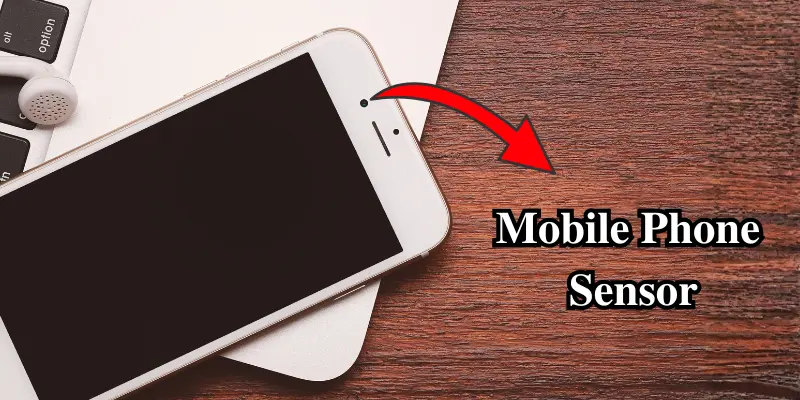
In simple words, sensors help your phone “sense” what is happening around it and then take action. Just like humans use eyes, ears, and skin to understand their surroundings, smartphones use sensors to become smart and interactive.
For example:
- When your screen rotates automatically, a sensor detects phone movement.
- When the screen turns off during a call, a sensor detects your face near the phone.
Why Are Mobile Sensors Important?
Mobile sensors play a very important role in making smartphones useful, smart, and user-friendly. Without sensors, smartphones would behave like very basic devices.
Here is why mobile sensors are important:
- They improve the user experience.
- They make phones smart and responsive.
- They help save battery life.
- They add security features like fingerprint unlock.
- They support health, fitness, and navigation apps.
In short, sensors turn a normal phone into a smartphone.
How Does a Mobile Phone Sensor Work?
The working of a mobile phone sensor is actually very simple. Most sensors follow the same basic process:
- Detection: The sensor detects a physical change, such as movement, light, distance, or touch.
- Data Conversion: The detected change is converted into digital data that the phone can understand.
- Action: The phone’s software processes this data and performs an action.
For example:
When you lift your phone:
- The motion sensor detects movement.
- Data is sent to the system.
- The screen wakes up automatically.
This entire process happens in a fraction of a second.
Types of Mobile Phone Sensors
Mobile phones use different types of sensors, each designed for a specific purpose. These sensors work together to make smartphones smarter, more accurate, and easier to use. Below is a quick overview of the main types of mobile phone sensors commonly found in smartphones.
- Accelerometer – Detects the movement and orientation of the phone. It helps the device understand when to rotate the screen or count steps.
- Gyroscope – Measures rotational movement of the phone. It makes motion-based features and games more accurate.
- Proximity Sensor – Detects when the phone is close to your face. It turns off the screen during calls to avoid accidental touches.
- Ambient Light Sensor – Measures surrounding light levels. It adjusts screen brightness automatically for better viewing.
- Fingerprint Sensor – Scans your fingerprint to identify you. It allows fast and secure phone unlocking.
- Face Recognition Sensor – Uses facial features to recognize the user. It allows users to unlock their phones securely without touching the device.
- Magnetometer – Detects the Earth’s magnetic field. It works like a digital compass in smartphones.
- Barometer – Measures changes in air pressure. This helps the phone estimate altitude and detect weather conditions more accurately.
- GPS Sensor – Determines the phone’s location using satellites. It supports maps, navigation, and tracking apps.
- Temperature Sensor – Monitors the phone’s internal temperature. It helps protect the device from overheating.
Advantages and Disadvantages of Mobile Phone Sensors
Mobile phone sensors make smartphones smarter and easier to use, but they also have some limitations. Knowing both helps users use their phones more effectively.
| Pros: |
|---|
|
| Cons: |
|---|
|
Overall, the advantages are far greater than the disadvantages when sensors are used responsibly.
Conclusion
Now you have a clear understanding of what a mobile phone sensor is and why it is so important. Mobile phone sensors help smartphones become smarter, safer, and easier to use. From screen rotation to navigation and security, sensors quietly work in the background to improve your daily smartphone experience.
If you are a student, a beginner, or a general smartphone user, understanding mobile sensors helps you use your phone more effectively and confidently.
Frequently Asked Questions (FAQs)
Here are the answers to some common questions about the mobile phone sensor:
Mobile phone sensors are hardware components, but they work with software. The sensor detects changes, and the software decides what action to take.
Yes, most sensors work without the internet. Features like screen rotation, brightness adjustment, and fingerprint unlock do not need an internet connection.
Most modern smartphones include around 10 to 15 sensors. The exact number depends on the phone’s model and brand.
Yes, mobile phone sensors can be damaged by water, dust, or physical impact. When this happens, some phone features may not work properly.






- Be Respectful
- Stay Relevant
- Stay Positive
- True Feedback
- Encourage Discussion
- Avoid Spamming
- No Fake News
- Don't Copy-Paste
- No Personal Attacks
- Be Respectful
- Stay Relevant
- Stay Positive
- True Feedback
- Encourage Discussion
- Avoid Spamming
- No Fake News
- Don't Copy-Paste
- No Personal Attacks
