Complete Guide to Dark Mode on Mobile Phones: Benefits and Drawbacks
Published: 27 Feb 2026
Dark mode is a phone setting that shows light text on a dark background. Many people use it to save battery, reduce eye strain at night, or enjoy its modern look. It works best on OLED screens because black pixels turn off and save power. On LCD screens, battery savings are small. Dark mode feels better in low light but can be hard to see in sunlight.
In this guide, we will explain the real pros and cons with clear facts.
What Is Dark Mode on Mobile Phones?
Dark mode is a user interface (UI) display mode on smartphones. It changes the screen colors. The background becomes dark, and the text becomes light. You can turn it on in Android or iPhone settings.
There are two main screen types: OLED and LCD. OLED screens light each pixel on its own. When a pixel shows black, it turns off. This saves battery. LCD screens use one backlight that stays on all the time. So, dark mode does not save much power on LCD phones.
Pros of Using Dark Mode
Dark mode has real benefits. But some only apply in certain cases. Let’s break them down clearly.
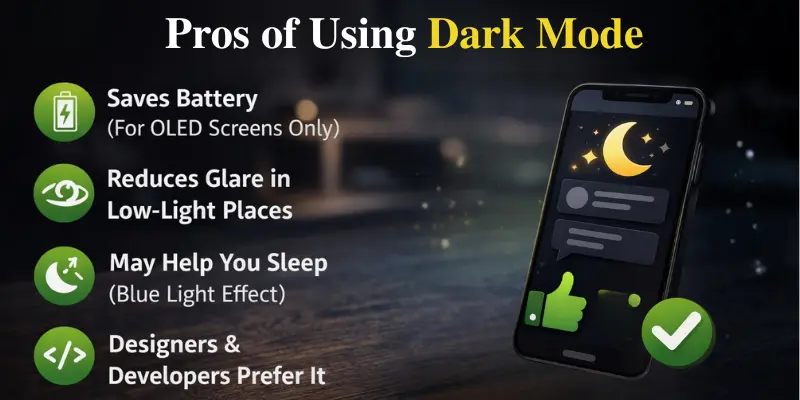
1. Saves Battery (For OLED Screens Only)
Dark mode can save your phone’s battery if it has an OLED screen. Why? Because OLED screens light up each pixel separately. When a pixel is black, it turns off and uses no power. This means that when you use dark mode, your phone uses less battery.
On OLED screens, dark mode can save 30% to 60% of the battery when the brightness is high.
LCD screens use a big backlight that stays on, even if the screen looks dark. So, dark mode doesn’t save much battery on LCD screens.
Here’s a quick comparison:
| Screen Type | Dark Mode Battery Saving |
|---|---|
| OLED / AMOLED | High (30–60% at high brightness) |
| LCD | Very Low |
2. Reduces Glare in Low-Light Places
At night, dark mode is better for your eyes. It makes the screen less bright when you use your phone in the dark, like at night or in bed.
Put yourself in a dark room and open a bright white screen. It’s like having a flashlight pointed at you. It’s easier on the eyes when you use dark mode because it dims the light.
It’s great for:
- Reading at night
- Scrolling before bed
- Watching videos in the dark
3. May Help You Sleep (Blue Light Effect)
Your body makes a hormone called melatonin, which helps you sleep. But bright blue light at night can stop melatonin from being made.
Dark mode makes your screen less bright, which can help a little. However, dark mode doesn’t get rid of all blue light.
For better sleep, try using:
- Night Shift (for iPhone)
- Blue light filter (for Android)
- Lowering your screen’s brightness
4. Designers & Developers Prefer It
A lot of designers and developers like dark mode because it looks modern and clean. Dark backgrounds help reduce distractions, so it’s easier to focus on what’s important, like text or code.
For example, many programmers utilize dark themes to code for extended periods of time. It allows people to focus on the material instead of getting distracted by a bright screen.
Cons of Using Dark Mode
Dark mode is helpful in many cases. But it also has some downsides. Let’s look at them clearly.
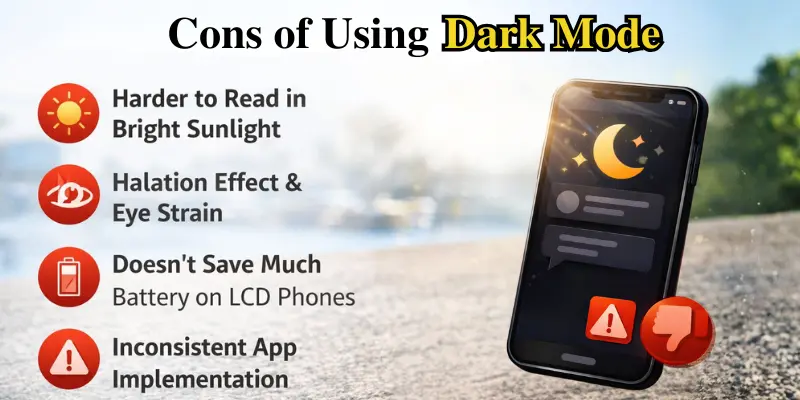
1. Harder to Read in Bright Sunlight
Dark mode doesn’t work well when you’re outside in bright sunlight. The screen may look dim and hard to see.
The light text on a dark screen can lose contrast, making the words harder to read. You might try increasing the brightness, but that can drain the battery faster. If you use your phone outside a lot, light mode might be easier to see and clearer.
2. Halation Effect & Eye Strain
Dark mode can sometimes cause something called the “halation effect.” This happens when bright text looks like it’s glowing or blurring on a dark background.
This glow can make the text look fuzzy, especially small letters. People with astigmatism (a common eye problem that makes things look blurry) may notice this more.
Also, when you use dark mode, your pupils may open wider to see the screen better. This is called pupil dilation. When your pupils open more, the text may look less sharp, and that can cause eye strain.
So, dark mode isn’t comfortable for everyone.
3. Doesn’t Save Much Battery on LCD Phones
Many people think dark mode saves battery, but that’s not always true. LCD screens have a backlight that remains on even when the screen appears dark. As a result, dark mode does not contribute significantly to battery life on LCD screens.
4. Inconsistent App Implementation
Not all apps work well with dark mode. Some apps:
- Don’t have enough contrast between colors
- Use gray text that is hard to read
- Mix dark and light screens
Dark Mode vs Light Mode: Which Is Better?
The answer is simple: there’s no perfect mode for everyone. The best choice depends on where you are and how you use your phone. Dark mode is better when it’s dark or low light, and light mode is better in bright places. Your phone screen also makes a difference. If you have an OLED phone, dark mode can help save more battery.
Here’s a quick tip to help you decide:
| Situation | Recommended Mode |
|---|---|
| Night Use | Dark Mode |
| Outdoor Use | Light Mode |
| Reading Long Articles | Light Mode |
| OLED Device + High Brightness | Dark Mode |
| Astigmatism | Light Mode |
Common Myths About Using Dark Mode
There are a lot of things people say about dark mode. Some are true, and some aren’t. Let’s clear up the confusion.
Myth 1: Dark Mode Always Saves Battery
Fact: Dark mode only saves battery on OLED screens.
OLED screens turn off black pixels, which saves power. In high brightness, it can save 30–60% of battery. But LCD screens don’t turn off pixels. They use a backlight that stays on, so dark mode doesn’t save much battery here.
Check what type of screen your phone has before expecting big savings.
Myth 2: Dark Mode Eliminates Blue Light
Fact: Dark mode lowers the brightness but doesn’t get rid of blue light.
Your screen still produces blue light; it simply appears darker. To reduce blue light at night, consider using the following:
- Night Shift (for iPhone)
- Blue light filter (for Android)
Dark mode helps a little, but it’s not a full solution.
Myth 3: Dark Mode Is Always Better for Your Eyes
Fact: It depends on you and where you are.
Dark mode feels easier on your eyes in low light, but in bright sunlight, light mode is easier to read. Some people with astigmatism (a vision problem) find light mode clearer. Others like dark mode.
The ideal mode feels both clear and comfortable to you. So, before believing everything, ask yourself:
- What type of screen does my phone have?
- Where do I use my phone most?
Best Practices: When Should You Use Dark Mode?
Not sure which mode to use? Follow these easy tips:
- Use dark mode at night. It feels gentler on your eyes in a dark room and helps reduce glare before you sleep.
- Use light mode outside. Sunlight can make dark screens hard to read. Light mode looks clearer in the sun.
- Adjust brightness yourself. Don’t keep it too bright. Lowering the brightness saves battery and helps protect your eyes.
- Combine dark mode with a blue light filter. This is helpful before bed.
- Test both modes. Try each one for a few days and choose the one that feels most comfortable for your eyes.
Conclusion
Dark mode isn’t good or bad by itself. It depends on your phone, your eyes, and where you use your phone.
If you have an OLED or AMOLED phone, dark mode can save battery. It also feels nicer at night. But in bright sunlight, light mode is easier to read. Some people, especially those with astigmatism or poor vision, might find light mode clearer.
The best choice is simple: use the mode that feels comfortable and easy to read. Try both, and see which one works best for your eyes.
Frequently Asked Questions (FAQs)
Here are the answers to some common questions about the pros and cons of using dark mode on mobile phones:
Dark Mode changes your phone’s screen to have a dark background and light text. It’s designed to reduce eye strain and save battery on some phones.
Dark Mode saves battery mainly on OLED screens because black pixels turn off. On LCD screens, it doesn’t save much battery because the backlight stays on.
Dark Mode is easier on your eyes at night because it lowers the screen’s brightness, making it more comfortable in low-light places.
Dark Mode can help you sleep by reducing blue light, but it doesn’t remove all of it. To reduce blue light more, you can use a blue light filter.
Dark Mode can cause eye strain for some people, especially those with astigmatism. This happens because the text may look blurry or like it’s glowing.
Light Mode is better in bright sunlight because it’s easier to see. Dark Mode may look too dim and hard to read outside.
Dark Mode is better in low light, but Light Mode is easier to read in bright places. The best choice depends on where you are.
OLED screens save battery with Dark Mode because the pixels turn off. LCD screens don’t save battery since they use a backlight that stays on.




- Be Respectful
- Stay Relevant
- Stay Positive
- True Feedback
- Encourage Discussion
- Avoid Spamming
- No Fake News
- Don't Copy-Paste
- No Personal Attacks
- Be Respectful
- Stay Relevant
- Stay Positive
- True Feedback
- Encourage Discussion
- Avoid Spamming
- No Fake News
- Don't Copy-Paste
- No Personal Attacks
