What is Phone Extension? How It Works & Its Benefits for Business
Published: 9 Dec 2025
In today’s connected world, the term “phone extension” is widely used, especially in businesses. Whether you’re a small business owner or part of a larger organization, understanding phone extensions can improve your communication.
In this guide, we’ll cover everything you need to know—from what is phone extension, how it works, to its types and setup. So, let’s get started.
What is a Phone Extension?
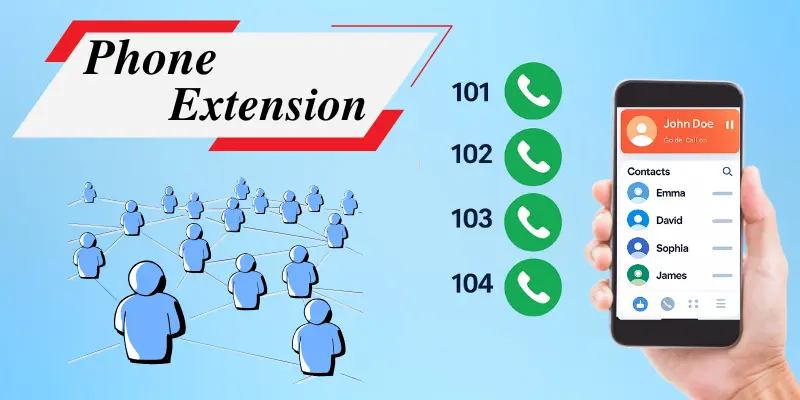
A phone extension is an extra number or code assigned to a specific phone line within a larger phone system. It helps direct calls to a particular person, department, or service in an organization. Think of it as a shortcut to reach someone directly, without needing to go through a receptionist or operator.
For Example
When you call a company’s main number, you might be asked to enter an extension number to reach a specific department or person. This is especially helpful in big companies, where calls are directed to different extensions based on what the caller needs.
How Do Phone Extensions Work?
Phone extensions are part of a private phone system called a PBX (Private Branch Exchange) or a cloud-based phone system, commonly used in businesses and organizations. They help businesses manage calls more efficiently by directing them to the right person or department, saving time and improving communication.
Here’s how it works:
- You call the company’s main number.
- The system answers and may give you an automated message.
- You enter the extension number (e.g., 102).
- The system sends your call to the right person or department.
- The system can route calls to:
- A desk phone
- A mobile phone
- A voicemail box
- A call group
Modern phone systems, like VoIP (Voice over Internet Protocol), work similarly but use the internet to make calls instead of traditional phone lines. This allows calls to be received on mobile phones or computers using the assigned extension.
Types of Phone Extensions
Phone extensions come in different types, each serving a specific purpose. Here’s an overview of the main types and their uses.
1. Internal Extensions (Business Use)
Internal extensions are the most common type used within businesses. These extensions are assigned to specific employees or departments, allowing calls to be sent directly to them without needing an operator.
For Example, when you call a company’s main number, you may be asked to enter an extension number (e.g., 101 for Sales, 102 for HR). This system helps businesses organize their internal communication efficiently.
2. Virtual Extensions
Virtual extensions are used in cloud-based phone systems, allowing businesses to forward calls to any device, no matter where the user is.
These extensions don’t need a physical phone. Calls can be sent to mobile phones, laptops, or other internet-connected devices. They are useful for remote workers or businesses with employees in different locations.
3. Home Phone Extensions
Home phone extensions are commonly used in households or home offices. These extensions allow multiple people or services in the same home to share a single phone line.
For Example, a parent might have an extension for their office line, while a teenager has their own line for personal calls. This type is especially useful for managing family or small business calls without needing separate phone lines.
4. Auto-Attendant Extensions
Auto-attendant extensions are part of an automated phone system in businesses. They direct calls to the right department or person by offering a menu of options (e.g., press 1 for Sales, press 2 for Support).”
This type of extension is used to make call routing easier and reduce the need for live operators, especially in large organizations.
5. Ring Group Extensions
Ring group extensions are used when multiple phones need to ring at the same time or in a sequence. This type of extension is helpful for departments or teams that handle incoming calls together, such as customer support or sales teams.
When someone calls the main number, all phones in the ring group will ring, ensuring that someone is available to answer the call.
6. VoIP Extensions
VoIP (Voice over Internet Protocol) extensions are used with internet-based phone systems, allowing calls to be made and received over the internet instead of traditional phone lines.
VoIP extensions can be linked to any device, including mobile phones, computers, or IP phones. This system is cost-effective and flexible, especially for businesses with remote teams or multiple locations.
Advantages and Disadvantages of Phone Extensions
Phone extensions improve communication in businesses and homes. Here’s a quick look at their benefits and drawbacks.
| Benefits of Using Phone Extensions: |
|---|
|
| Drawbacks of Using Phone Extensions: |
|---|
|
How to Set Up a Phone Extension
Setting up and using a phone extension is simple, whether you’re in a small office or a large organization. Here’s a basic overview of how to set up phone extensions:
1. Choose a Phone System
- For businesses, choose a phone system that supports extensions. If you’re using a traditional PBX system, your IT team will typically handle the setup. For VoIP systems, you can manage extensions directly through your account settings.
2. Assign Extensions
- Assign specific extension numbers to employees or departments. For example, you might assign 1001 to Sales, 1002 to Support, and so on.
3. Configure Your Devices
To use your phone extension, link it to your devices (desk phones, mobile phones, or softphones). Here’s how:
- Desk Phones: Your company’s phone system should automatically assign extensions. If needed, your IT team can set it up.
- Mobile Phones: Use a VoIP app (like Skype) and enter your extension in the app’s settings to receive calls.
- Softphones: Install the softphone app, then enter your extension number in the app’s settings to receive calls on your computer or laptop.
This ensures calls to your extension are sent to the correct device.
How to Dial a Phone Extension
Dialing a phone extension is simple. Here’s how you can do it:
1. Dial the Main Company Number
- Start by dialing the company’s main phone number.
2. Enter the Extension Number
- Once the call is answered, you’ll be prompted to enter the extension number.
For example, if the company number is (123) 456-7890 and your extension is 101, you would dial 123-456-7890, wait for the prompt, and then enter 101.
This process makes it easy to manage calls and ensure they reach the right person or department within a company.
Common Problems with Phone Extensions and How to Fix Them
Here are some common phone extension issues and their solutions:
1. Extension Not Ringing
The assigned phone doesn’t ring when calling the extension.
Solution:
- Ensure the device is connected and properly set up.
- Check that the extension is correctly linked to the device.
- Try calling the extension from another phone to check if it works.
2. Call Forwarding Issues
Calls are not being transferred correctly.
Solution:
- Check call forwarding settings and make sure they’re directed to the right place.
- Test the feature by calling the extension and ensuring proper forwarding.
3. Incorrect Extension Dialed
Dialing the wrong extension causes confusion or missed calls.
Solution:
- Confirm the correct extension numbers are assigned.
- Keep a directory of extensions visible or accessible.
4. Voicemail Not Working
Voicemail doesn’t pick up or isn’t recording messages.
Solution:
- Check that your voicemail is activated and configured correctly.
- Test the voicemail feature by calling the extension and leaving a message.
5. System Outages
The entire phone system, including extensions, goes down.
Solution:
- Check the network connection, especially for VoIP systems.
- Restart the system or contact IT support.
- Have a backup communication plan, like mobile phones or email.
Conclusion
Now you understand what a phone extension is, how it works, and why it matters. A good extension system makes your calling setup simple, clear, and more professional. Whether you manage a team, run a business, or set up a home phone system, extensions help you keep communication smooth and organized.
We hope this guide answered your questions. If you’re ready to set up your extension or need more help, feel free to explore our other resources.
Frequently Asked Questions (FAQs)
Here are the answers to some common questions about the phone extension :
A phone extension is used to route calls to specific people or departments within an organization. It directs calls to the right person or team without going through an operator.
A telephone extension number is a unique number assigned to a phone line within a larger phone system. It helps route calls directly to a specific individual, department, or service. The extension number is added to the main company phone number.
Phone extensions can vary in length depending on the phone system. Most extensions are between 3 to 5 digits long, but some systems may use more. The number of digits typically depends on the size of the organization and the number of extensions required.
The +44 is the international dialing code for the United Kingdom, not a phone extension. Phone extensions are additional numbers added after the main company or area code to route calls to specific departments or individuals within a phone system.
For example, when you call a company’s main number, you may be asked to enter an extension like 108 for Sales or 109 for HR. The extension number helps direct your call to the right person or department.
An internal extension is used within a company to route calls to specific employees or departments. A virtual extension works over the internet and allows calls to be forwarded to any device, like a mobile phone or computer, making it perfect for remote workers.






- Be Respectful
- Stay Relevant
- Stay Positive
- True Feedback
- Encourage Discussion
- Avoid Spamming
- No Fake News
- Don't Copy-Paste
- No Personal Attacks
- Be Respectful
- Stay Relevant
- Stay Positive
- True Feedback
- Encourage Discussion
- Avoid Spamming
- No Fake News
- Don't Copy-Paste
- No Personal Attacks
