Advantages and Disadvantages of Android Operating System
Published: 9 Mar 2026
Android is one of the most popular mobile operating systems in the world. Millions of people use Android phones every day for communication, entertainment, and work.
Before choosing an Android device, it is important to understand the advantages and disadvantages of Android operating system. Android offers great features like customization and a huge app ecosystem, but it also has some challenges, such as slower updates and security risks.
By the end of this article, you will have a clear idea of whether Android is the right choice for you.
What is Android Operating System?
Android is also known as the Android Operating System. It runs on smartphones, tablets, and many other smart devices. With Android, you can use apps, manage your files, and connect to the internet with ease.
Android runs on the Linux kernel, which helps keep it stable and reliable. Since it is mostly open-source, phone makers can change and customize it for their own devices. This is why companies like Samsung, Xiaomi, OnePlus, Oppo, and Vivo use Android.
Advantages of the Android Operating System
The Android operating system is popular worldwide. It is adaptable, runs on many devices, and offers a large app store, making smartphones enjoyable and useful for casual users and tech enthusiasts alike.
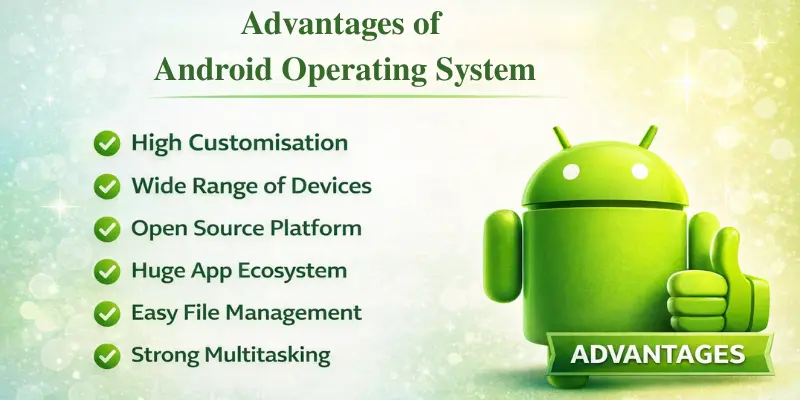
Here are the main advantages of the Android operating system:
- High Customisation
- Wide Range of Devices
- Open Source Platform
- Huge App Ecosystem
- Easy File Management
- Strong Multitasking
Now, let’s explore these benefits in detail.
1. High Customisation
Android lets you personalise your phone. Modify themes, wallpapers, icons, and home screens. Add widgets for weather, calendar, or music controls directly on your home screen. Launchers can transform how your phone looks and works.
2. Wide Range of Devices
Many brands use Android, including Samsung, Xiaomi, OnePlus, Oppo, and Google Pixel. This lets you find phones for every budget, whether affordable, mid-range, or premium. You can select a phone that matches your needs and budget.
3. Open Source Platform
Android is largely open-source, so developers and manufacturers can innovate and enhance it. This enables companies to create customised versions of Android with unique styles and features.
4. Huge App Ecosystem
The Google Play Store offers millions of apps, including games, educational tools, entertainment, and productivity apps. Android also supports third-party apps, granting you more flexibility than many other systems.
5. Easy File Management
Android simplifies file management. Transfer files through USB, Bluetooth, or cloud storage. Most phones accept microSD cards, so you can expand storage and keep files organised.
6. Strong Multitasking
Android phones support running multiple apps simultaneously. You can listen to music while browsing or use split-screen mode to operate two apps side by side. This enhances productivity and enjoyment.
Disadvantages of the Android Operating System
Although Android is fantastic, it does have a few negative aspects. Issues such as security risks, delayed updates, and differences between devices can sometimes affect the user experience.
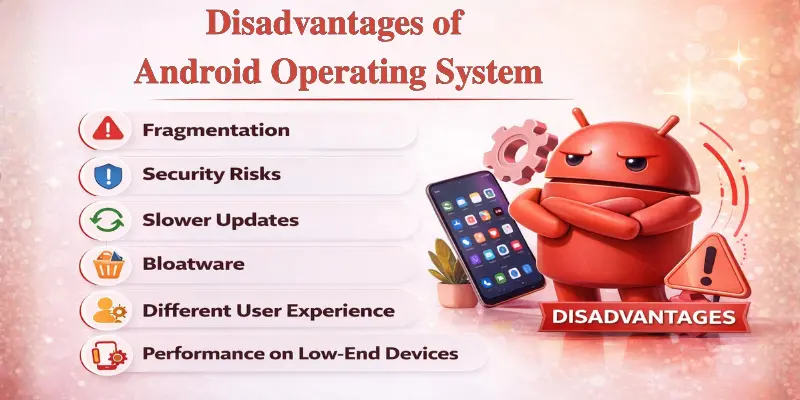
Here are the most discussed disadvantages of the Android operating system:
- Fragmentation
- Security Risks
- Slower Updates
- Bloatware
- Different User Experience
- Performance on Low-End Devices
Let’s explore these drawbacks in detail.
1. Fragmentation
Different phones use different Android versions. Some old phones stay on older versions for a long time. This can make some apps not work properly or run slowly.
2. Security Risks
Android can be more open to malware or fake apps because you can install apps from many sources. Google has tools like Play Protect, but you still need to be careful.
3. Slower Updates
Updates depend on the phone maker and network carrier. This means budget phones often get updates late or sometimes not at all.
4. Bloatware
Some phones come with pre-installed apps (bloatware) you don’t need. These apps take up storage, memory, and battery.
5. Different User Experience
Manufacturers like Samsung, Xiaomi, or OnePlus change Android for their phones. This means the look and features can be different from one brand to another.
6. Performance on Low-End Devices
Old or cheap Android phones can be slow, apps may lag, and the battery can drain faster because of limited hardware.
Android vs iOS: Key Comparison
Here’s a simple look at how Android and iOS are different:
| Feature | Android | iOS |
|---|---|---|
| Customization | You can change themes, widgets, and launchers a lot | Only limited options to change the look |
| App Ecosystem | Apps from the Google Play Store and other sources | Apps mainly from the Apple App Store |
| Security | Moderate security because you can install apps from many places | Strong security with strict app checks |
| Device Variety | Works on many brands like Samsung, Xiaomi, and OnePlus | Only on Apple iPhones |
| Price Range | Phones from cheap to expensive | Mostly premium-priced phones |
Why Do People Prefer Android Phones?
Many people love Android phones because they are flexible, useful, and affordable. Here are the main reasons:
- Affordable – Phones range from low-cost to high-end, so there’s something for everyone.
- Customizable – You may customise your phone’s appearance and functionality by selecting different themes, widgets, and home screens.
- Variety of Devices – Android is used by several brands, including Samsung, Xiaomi, OnePlus, Oppo, and Google Pixel. You have a lot of alternatives!
- Large App Ecosystem – Millions of apps on the Google Play Store, from games to learning tools.
- Practical Features – You can easily move files, connect with a USB, and many phones let you add more storage with memory cards.
Tip: Android is perfect if you like choosing your phone, customising it, and using lots of apps.
Conclusion
So guys, in this article, we’ve covered the pros and cons of the Android Operating System in detail. I recommend Android for anyone who values flexibility, customization, and access to a wide range of apps. While it has some drawbacks, like slower updates and security risks, knowing them helps you make a smarter choice.
Compare devices, explore their features, and pick the Android phone that fits your lifestyle and needs for the best experience.
Frequently Asked Questions (FAQs)
Here are the answers to some common questions about the advantages and disadvantages of the Android Operating System :
No, different brands customize Android differently. Samsung, Xiaomi, OnePlus, and Google Pixel all have their own versions and features. This can affect how the phone looks, works, and performs.
Android is great for budget users, tech enthusiasts, developers, and anyone who loves customization. It’s flexible, affordable, and offers millions of apps. If you enjoy exploring new features and personalizing your phone, Android is the right choice.
Many brands make Android phones, including budget-friendly options. This variety allows prices to range from low-cost to premium. iPhones are only made by Apple, so prices are mostly high.
Most Android phones support microSD cards for extra storage. You can save photos, videos, and files on the card. This makes it easy to expand storage without buying a new phone.






- Be Respectful
- Stay Relevant
- Stay Positive
- True Feedback
- Encourage Discussion
- Avoid Spamming
- No Fake News
- Don't Copy-Paste
- No Personal Attacks
- Be Respectful
- Stay Relevant
- Stay Positive
- True Feedback
- Encourage Discussion
- Avoid Spamming
- No Fake News
- Don't Copy-Paste
- No Personal Attacks
