Advantages and Disadvantages of Airplane Mode on Mobile Phone
Published: 26 Jan 2026
Many mobile users turn on airplane mode without fully understanding what actually happens after doing so. Some believe it helps save battery, while others worry it may create more problems by cutting off important connections.
Understanding the advantages and disadvantages of airplane mode on a mobile phone clears this confusion and helps users make smarter, more informed decisions about when and how to use this feature in daily life.
Advantages of Airplane Mode on Mobile Phone
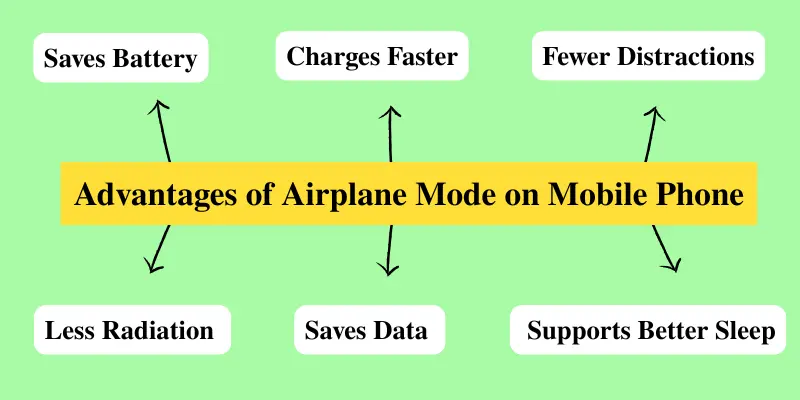
Airplane Mode is not only useful during flights. When used correctly, it can also help in many everyday situations. Below are the 7 main advantages of Airplane Mode.
- Saves mobile battery life
- Helps the phone charge faster
- Reduces distractions from calls and notifications
- Limits unnecessary network radiation
- Prevents unwanted data usage and roaming charges
- Improves phone performance in weak signal areas
- Supports better sleep and digital well-being
Now, let’s discuss each benefit in detail to understand how airplane mode can be useful in daily life.
1. Saves Mobile Battery Effectively
When Airplane Mode is turned on, your phone stops searching for mobile networks, Wi-Fi, and Bluetooth signals. This reduces background activity and power usage. That’s why many users notice better battery performance when Airplane Mode is enabled, especially during low-battery situations.
2. Helps the Phone Charge Faster
When Airplane Mode is on, all wireless connections are turned off. This allows your phone to focus only on charging instead of running background network tasks. As a result, the phone charges faster, which is especially useful when you need quick power in a short time.
3. Reduces Distractions from Calls and Notifications
Airplane Mode stops all incoming calls, messages, and notifications. This helps you stay focused without interruptions from constant alerts. It is especially useful during study time, meetings, or when you need complete concentration.
4. Limits Unnecessary Network Radiation
Airplane Mode turns off your phone’s cellular, Wi-Fi, and Bluetooth connections. Normally, your phone constantly sends and receives signals to stay connected with towers, routers, and other devices.
By enabling Airplane Mode, these signals are temporarily stopped, reducing the radiation your phone emits. This can be especially helpful for those who use their phones for long periods and want to limit exposure to electromagnetic signals.
5. Prevents Unwanted Data Usage and Roaming Charges
Airplane Mode completely disables mobile data, preventing your phone from using the internet in the background. This can help you avoid unexpected data usage or roaming charges, especially when traveling abroad or in areas with expensive network rates.
6. Improves Phone Performance in Weak Signal Areas
In areas with a weak mobile network, your phone constantly searches for a signal, which can slow down performance and drain the battery. Enabling Airplane Mode stops this constant search, helping your phone run more smoothly and save battery.
7. Supports Better Sleep and Digital Well-Being
Many people keep their phones close at night, which can cause frequent interruptions from calls, messages, and notifications. Turning on Airplane Mode prevents these disturbances, allowing uninterrupted sleep. This not only helps you rest better but also encourages healthier digital habits and a more balanced use of your phone.
Disadvantages of Airplane Mode on Mobile Phone
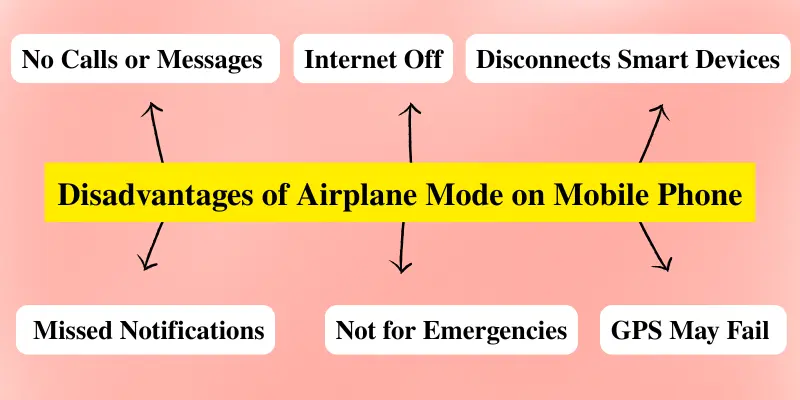
While Airplane Mode can be useful in certain situations, it also has some limitations that users should be aware of before using it regularly. Here are the 7 main disadvantages of Airplane Mode:
- No incoming calls or messages.
- Internet access is disabled.
- Navigation and GPS may not work properly.
- Important app notifications can be missed.
- Not suitable for emergency situations.
- Disrupts connectivity with smart devices.
- Not practical for online work or business tasks.
Now, let’s discuss each disadvantage in detail to understand the limitations of Airplane Mode.
1. No Incoming Calls or Messages
When Airplane Mode is enabled, your phone cannot make or receive calls, and SMS messages will not come through. This means you might miss important calls or texts from family, friends, or work. It can be especially problematic in urgent situations when immediate communication is needed.
2. Internet Access is Disabled
When Airplane Mode is turned on, mobile data is completely disabled. This means you cannot browse the web, use social media, or access online apps without Wi-Fi. If you rely on mobile internet for work, communication, or entertainment, this can be inconvenient and may disrupt your daily tasks.
3. Navigation and GPS May Not Work Properly
Some GPS and navigation apps rely on mobile networks to provide accurate location tracking. When Airplane Mode is on, these apps may not work properly or provide accurate directions. This can be inconvenient if you are traveling or using navigation for important routes.
4. Important App Notifications Can Be Missed
With Airplane Mode active, notifications from apps like WhatsApp, email, calendars, or reminders are blocked. This means you might miss important messages, updates, or deadlines until you turn it off, which can be troublesome for personal or work tasks.
5. Not Suitable for Emergency Situations
In case of an emergency, Airplane Mode prevents you from quickly contacting family, friends, or emergency services. For example, if there is a fire at home or someone gets injured, you won’t be able to call for help immediately while Airplane Mode is on. Leaving it active in such situations can be risky and may delay urgent assistance.
6. Disrupts Connectivity with Smart Devices
Airplane Mode disables Bluetooth and Wi-Fi, which may disconnect your phone from smartwatches, wireless headphones, or home devices. This can be inconvenient if you rely on these devices for daily use or notifications.
7. Not Practical for Online Work or Business Tasks
Airplane Mode disables mobile data and sometimes Wi-Fi, which prevents you from accessing online work apps, video calls, or cloud services. For example, you won’t be able to join a Zoom meeting, respond to emails, or update online documents while it’s on, making it hard to complete online tasks.
When Should You Use Airplane Mode?
Airplane Mode is helpful in certain situations, but it may cause problems if used at the wrong time.
You should consider using Airplane Mode:
- While sleeping at night
- During study or focus time
- When the battery is very low
- While traveling internationally
- In areas with poor network signals
You should avoid using Airplane Mode:
- During emergencies
- When expecting important calls
- While working online
- When using navigation or GPS apps
Conclusion
So guys, in this article, we’ve covered the advantages and disadvantages of Airplane Mode on mobile phones in detail. My advice is to use this feature strategically: turn it on during low battery, study sessions, or while resting, and avoid it when you need urgent communication or internet access. By using Airplane Mode thoughtfully, you can improve both your phone’s performance and your productivity.
Start applying these tips today and share your experience in the comments below!
Frequently Asked Questions (FAQs)
Here are the answers to some common questions about the pros and cons of Airplane Mode:
When Airplane Mode is on, your phone disables mobile networks, Wi-Fi, and Bluetooth. This stops calls, messages, notifications, and internet access, helping save battery and reduce distractions.
Yes! Most phones allow you to manually turn Wi-Fi or Bluetooth back on while Airplane Mode is active. This lets you use wireless headphones or connect to Wi-Fi without enabling mobile networks.
Most phones use the term Airplane Mode, but some devices (especially in British English settings) may call it Aeroplane Mode. The function works the same across devices.
No. Airplane Mode was originally created for use during flights, but it can also be useful in everyday situations. You can turn it on while studying, saving battery, traveling, or when you want to avoid calls, messages, and notifications.
Yes. Airplane Mode disables Bluetooth and Wi-Fi, which can disconnect smartwatches, wireless headphones, or home devices that rely on your phone.
You should avoid using Airplane Mode during emergencies, when expecting important calls, while working online, or when using GPS and navigation apps. Turning it on in these situations can block connectivity and cause problems.
Airplane Mode is neither completely good nor bad. It can be very useful to save battery, reduce distractions, and improve focus. However, it can block calls, messages, and internet access if used at the wrong time. The key is to use it wisely based on your situation.






- Be Respectful
- Stay Relevant
- Stay Positive
- True Feedback
- Encourage Discussion
- Avoid Spamming
- No Fake News
- Don't Copy-Paste
- No Personal Attacks
- Be Respectful
- Stay Relevant
- Stay Positive
- True Feedback
- Encourage Discussion
- Avoid Spamming
- No Fake News
- Don't Copy-Paste
- No Personal Attacks
